


Reshape is live! Reshape is finally open at rshp.app to anyone who wants to use it.
This is the platform we have spent the past months building, and it is the moment we have been working towards. Reshape is a system built specifically for organisational design and job architecture work, by people who have spent careers doing that work and felt the gap that the available tools leave open. What we want this post to do is lay out what Reshape is and why each of the foundations underneath it matters.
What Reshape is
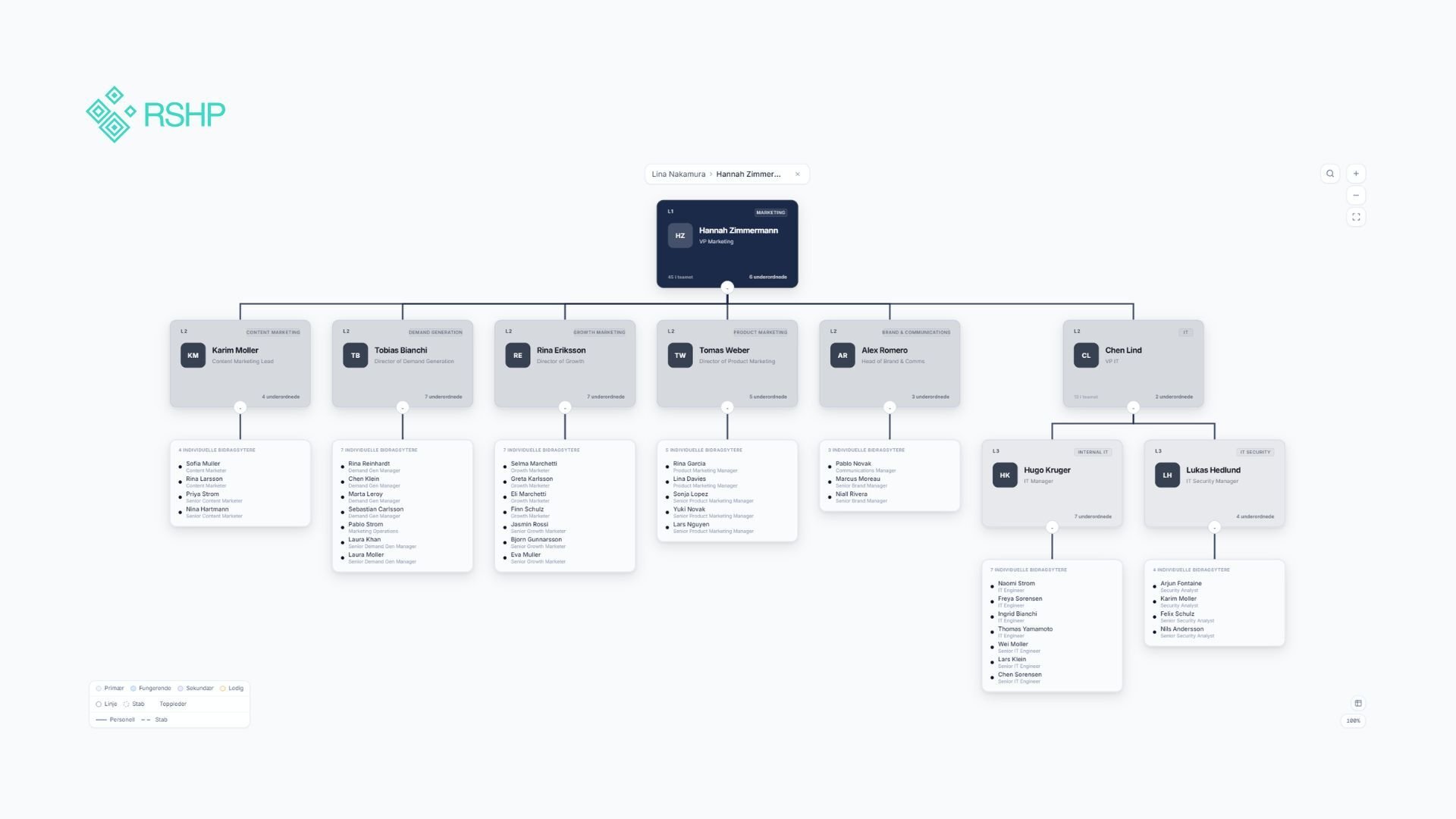
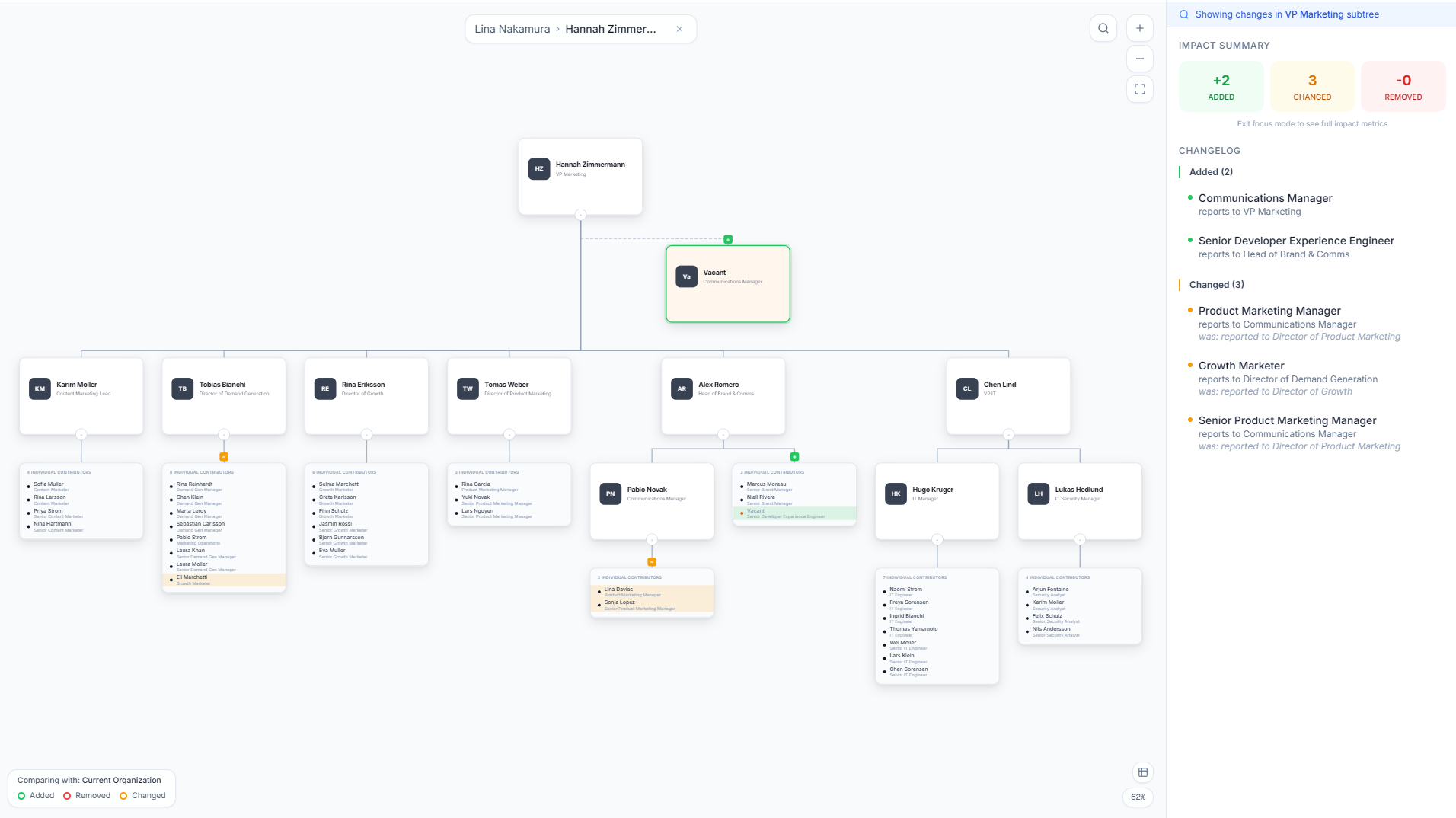 Reshape consolidates what is currently spread across half a dozen places: structure, job architecture, headcount and cost data, scenario modelling, analysis, and transformation planning, all in one versioned system. There is a baseline that represents the live state of the organisation, and any number of scenarios that can be modelled against it without affecting the live data. Every change is logged. Every comparison is calculable. Every analysis links back to the specific positions and people it was run against.
The Free tier includes the working surface of the product: positions, people, org charts, and scenarios. It is fully usable. Paid tiers add the AI-powered analysis, the integrated job architecture, the transformation roadmap, and the partner model that allows consultants to manage multiple client organisations from a single account with full data isolation between them.
What follows is a walk through what Reshape does, starting with the headline capability and moving through the foundations underneath it, and a note on what Reshape is not.
What we set out to make available
Anyone who has done org design work seriously will know the texture of it. The team carrying out a major reorganisation is likely to have open in front of them: a structural diagram in Lucidchart or Visio, an Excel cost model with three or four named scenarios, a slide deck in build for the executive committee, a fresh export from Workday or BambooHR that they hope is still current, and the institutional memory of two or three colleagues who have been with the company long enough to know why things are the way they are. They are doing careful, considered work. They are using the tools available to them. The output, in our experience, is often very good.
What it does not do, almost ever, is leave behind a system that the organisation can continue to work in. The decisions and their reasoning get captured in decks and exports. The decks land in shared drives. Six months later, when someone asks why a particular reporting line was drawn or why two roles were merged into one, the answer lives in an email thread or in a slide that has been superseded twice.
What is missing is not professionalism. What is missing is a tool that can hold the work alongside it: a system the team can keep designing in, not just present from.
That tool is what we built.
Scenarios, properly
The single most important thing Reshape does is that it lets you separate the live state of the organisation from the design work you are doing on it.
The live state is called the baseline. It is the source of truth for how the company is structured today, and it is editable in the ordinary way: people can be hired, positions created, reporting lines updated. Every edit is logged with before-and-after state, who made the change, and when. The audit trail is not a separate log; it is part of the data model. If a decision is questioned six months later, the answer is in the system, attached to the change.
A scenario is a clone of the baseline. Inside a scenario, you can do anything. Restructure reporting lines. Add or remove positions. Merge org units. Reassign people. Adjust levels. Nothing in the scenario affects the baseline, and the baseline keeps moving forward independently. When you are ready to compare your scenario against the live org, the diff view shows exactly what changed: positions added, removed, or modified, headcount and cost deltas, an analysis of where the structural shifts cluster. If you decide the scenario is right, you apply it back to the baseline through a review gate. If you decide it is not, you discard it. Nothing has happened in the meantime.
This is not a small thing. It is the difference between making a structural decision in the dark and making one with a comparable alternative in front of you.
Positions are the unit of design
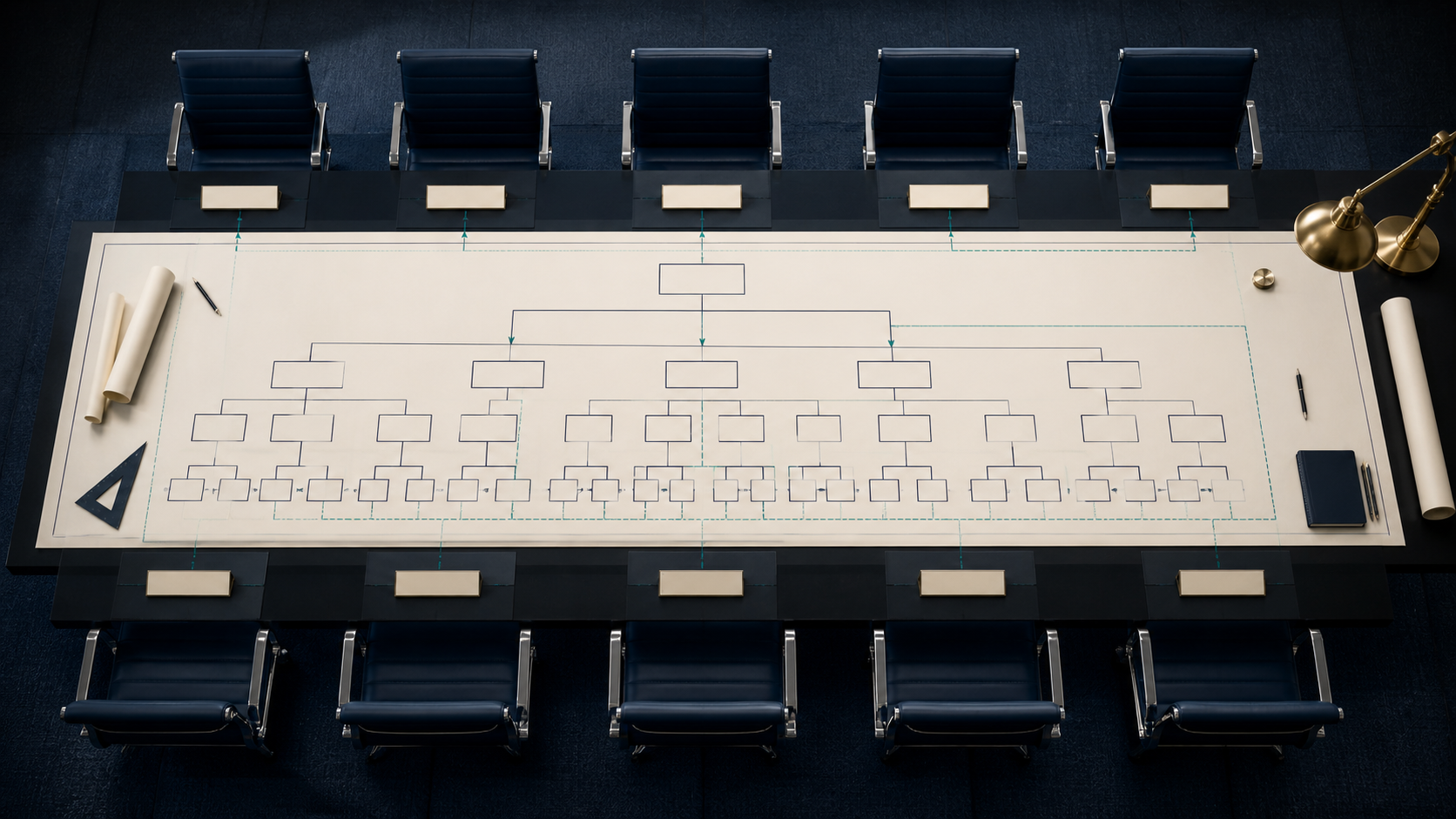 The other foundation underneath the product is that positions, not people, are the unit of organisational design.
A position is a seat in the organisation: a role with a reporting line, an org unit, a level, and an optional link to a job profile. A person is an individual employee. Connecting the two is an assignment, which can be primary, acting, or secondary. A position can be vacant. A person can be unassigned. A person can hold a primary role and an acting role at the same time, or a full-time primary and a part-time secondary. None of this is exotic; it is what organisations actually do, and the systems most of them use cannot represent it cleanly.
The reason this matters for org design specifically is that the work is rarely about people in the sentimental sense. It is about whether the right roles exist in the right places, reporting to the right places, at the right levels. When the structure is built out of people, you cannot reason about a position that does not yet have anyone in it, or about what the structure looks like if a particular role is vacated, or about whether a role currently held in an acting capacity is part of the permanent design. When the structure is built out of positions, all of that becomes tractable. People sit in positions; they do not constitute them. This is the principle that makes scenario modelling work in any serious way.
The rest follows
Once those two foundations are in place (versioned scenarios and position-centric structure), most of what an org designer wants to do becomes available without contortion.
You can run AI-powered analysis against any version of the org. The analysis covers structural health (span of control, hierarchy depth, single points of failure), job architecture (level misalignment, career path gaps, title inconsistencies), financial signals (compensation compression, band violations, cost concentration), and a synthesis layer that ties findings together. Each finding is scored, linked to specific positions and people, and dismissable with a tracked reason. You can run the same analysis on the baseline and on a scenario and see whether the proposed change resolves the issue or moves it.
You can hold job architecture in the same system as the structure. Job profiles, levels, salary bands, families, and competencies are not in a separate compensation tool; they are first-class objects, and positions link to them. When you change a salary band, the cost analysis updates. When you re-level a role, the career path analysis sees it. The integration is not a feature; it is the point.
You can build a transformation roadmap from analysis findings. The platform proposes phases and action items based on what the analysis surfaced; you accept, reject, or edit each one. Progress can be tracked inside the system rather than in a separate project tool.
You can share read-only views of any org chart, scenario, or analysis with stakeholders who do not need a Reshape account. Consultants can manage multiple clients from a single account, with full data isolation between them. The exports are presentation-ready, but the deliverables are not the product. The product is the system the work happens inside.
What Reshape is not
A note on what Reshape is not, because the category sits next to a number of adjacent things.
-
It is not an HRIS. The HRIS owns the employee record, payroll, and time and benefits, and these are important systems with their own logic. Reshape sits next to them and consumes their data through CSV import. The org design work happens here, in a system whose data model is built around structure rather than around the administration of people.
-
It is not an org chart tool. Tools like Lucidchart, Visio, and Organimi are excellent at visualisation, and Reshape includes a strong visualisation layer of its own. But the chart is one view among several, and the system underneath it is built for design rather than for diagramming.
-
And it is not a spreadsheet. Spreadsheets are remarkable, and many of the smartest people I know have done extraordinary work in them. They are flexible because they have no opinions. Reshape, by contrast, is opinionated: about what a position is, about how scenarios relate to a baseline, about how a job framework fits a structure. Org design is hard precisely because it requires a system with the right opinions, in the right places.
Why now
There is no perfect moment to launch a tool like this, but there is something to be said for the moment we are in.
European employers are six weeks away from their pay transparency obligations under the EU Pay Transparency Directive. The conversations now happening inside HR teams and on consulting engagements are about job architecture, salary bands, comparable roles, and whether the structure of work in the company can survive scrutiny. These are exactly the conversations Reshape was built to support.
If you are in one of those conversations now, Reshape is open at rshp.app. The Free tier is real, and it will stay free. If you are a consultant running multiple engagements, the partner model is built in from day one; there is nothing to migrate to later. If you are a founder, an HR leader, or a CHRO, you can have your structure inside Reshape this afternoon.
We will keep writing about what we are building, about the practice of org design, and about what we learn from the people doing this work seriously. The conversation is what made the product worth making, and it is what will keep making it better.
We are open. We would like to hear from you.